

How to Submit a VAT Compensation Claim?
Back
How to Submit a VAT Compensation Claim?
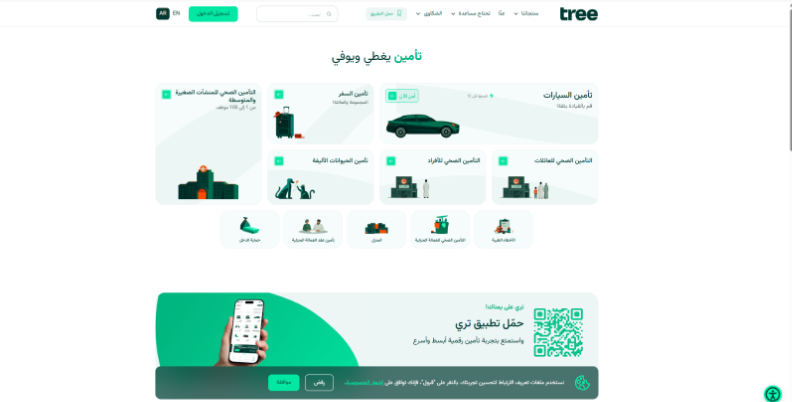
- Visit the tree website
Visit the tree website: tree.com.sa.
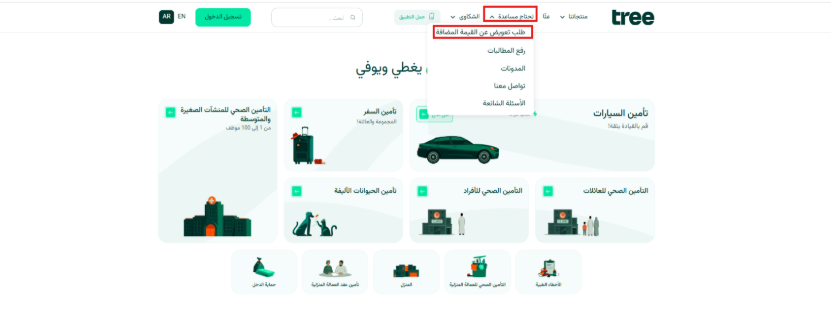
- Select VAT Compensation Claim
Click Need Help? and select VAT Compensation Claim.
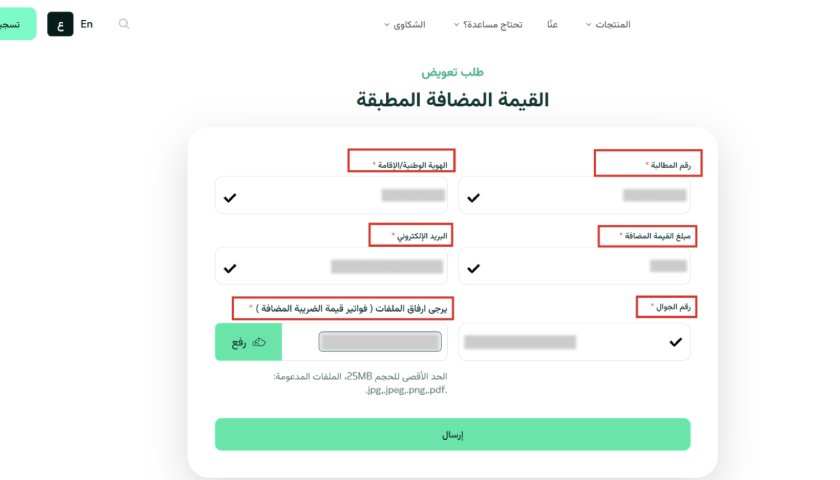
- Fill in the required details
Fill in the required details:
- Claim Number: Your claim must be approved by the Claims Department.
- National ID / Iqama Number.
- VAT Amount.
- Email Address: So we can keep you updated on your request.
- Mobile Number: Make sure it's registered under your National ID / Iqama.
- Attachments: Upload the invoices showing the VAT amount.
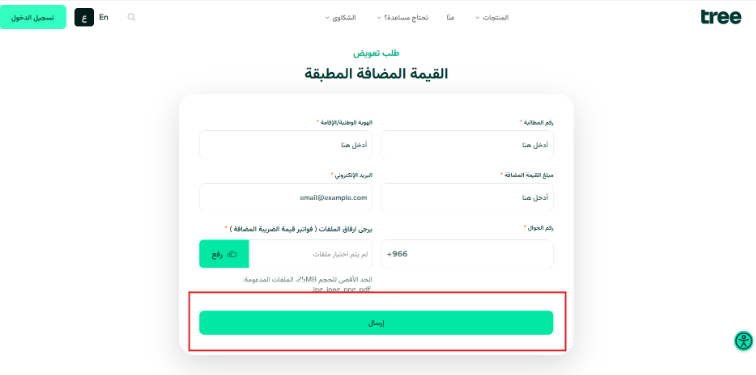
- Submit the request
Click Submit.
- Verify your mobile number
Enter the verification code sent to your mobile number.
- Creation of a linked compensation request
Once verified, we'll create a separate compensation request linked to your original claim.
- Claims Department review
We'll send your request to the Claims Department for review and processing.